Devices Inventory Explorer
Introduction
The inventory explorer present two API :
-
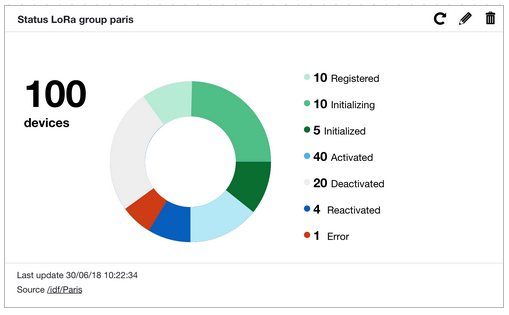
stats: provides a way to count devices or device components within the whole fleet. Results can be filtered and grouped by different criteria, which allows to build various aggregated views on devices data. For instance, a stats query can get the total number of devices with a specific connectivity and within a specific device group, while providing a separate count under each of their possible interface status.
-
search: provides a way to detail devices or device components within the whole fleet. Results can be filtered by different criteria.
In order to make these views possible, the inventory service maintains an indexed version of the whole fleet, each document
representing an enriched version of a Live Objects device. The device’s static properties and most of the events occurring during
its lifecycle are saved as part of an extended device state. As a consequence, a latency of a few seconds has to be expected before the
current state of the fleet is available in the inventory index, this latency can be longer especially when dealing with very large fleets. However, as with
most Live Objects APIs, eventual consistency is guaranteed, meaning that if all activity ceased on devices,
the inventory index will eventually end up in sync with the fleet state.